Difference between revisions of "ThreadScope Tour/Zoom"
Jump to navigation
Jump to search
m (→Steps: tidy up) |
(hint about keyboard shortcut) |
||
| Line 13: | Line 13: | ||
<p>What's going on there?</p></li> |
<p>What's going on there?</p></li> |
||
| − | <li><p>Use the zoom in button to explore that space a bit more |
+ | <li><p>Use the zoom in button to explore that space a bit more</p> |
| + | <p>''Hint: you can also press +/- on the keyboard''</p> |
||
[[Image:ThreadScope-zoom.png|Zooming in]] |
[[Image:ThreadScope-zoom.png|Zooming in]] |
||
| Line 27: | Line 28: | ||
<li>'''TODO''' zoom out again, use bookmarks to help refocus |
<li>'''TODO''' zoom out again, use bookmarks to help refocus |
||
</li></ol> |
</li></ol> |
||
| + | |||
| + | == Hints == |
||
| + | |||
| + | * You can also press +/- on the keyboard to zoom in and out |
||
Revision as of 12:28, 9 December 2011
Objectives
- Use zooming to reveal more detailed performance issues
- Save your place with the bookmark feature and zoom back out
Steps
Open the sudoku3 ThreadScope profile created earlier
threadscope ./sudoku3.eventlog
Notice the initial lack of activity at the very beginning of program execution
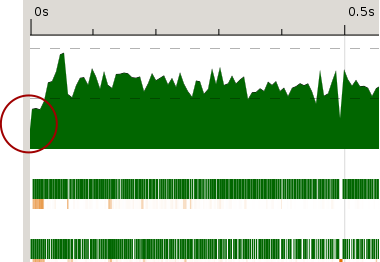
What's going on there?
Use the zoom in button to explore that space a bit more
Hint: you can also press +/- on the keyboard
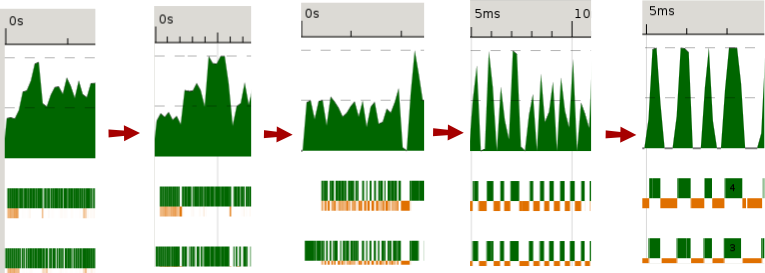
Notice how different the profile looks close up. What do you see? At closer inspection what looks like a moderate amount of activity is actually intense bursts using both cores, with pauses in between.
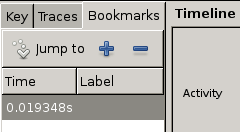
Save the point in the zoomed-in profile as a bookmark. To do so, click in the graph to move the blue cursor to a spot of your choice.

Then switch to bookmarks tab. Press the plus button to create the bookmark and click in the labels field to name it.

- TODO zoom out again, use bookmarks to help refocus


Hints
- You can also press +/- on the keyboard to zoom in and out